
Synchronization
Data synchronization configuration guide to help you set up cross-device note synchronization functionality.
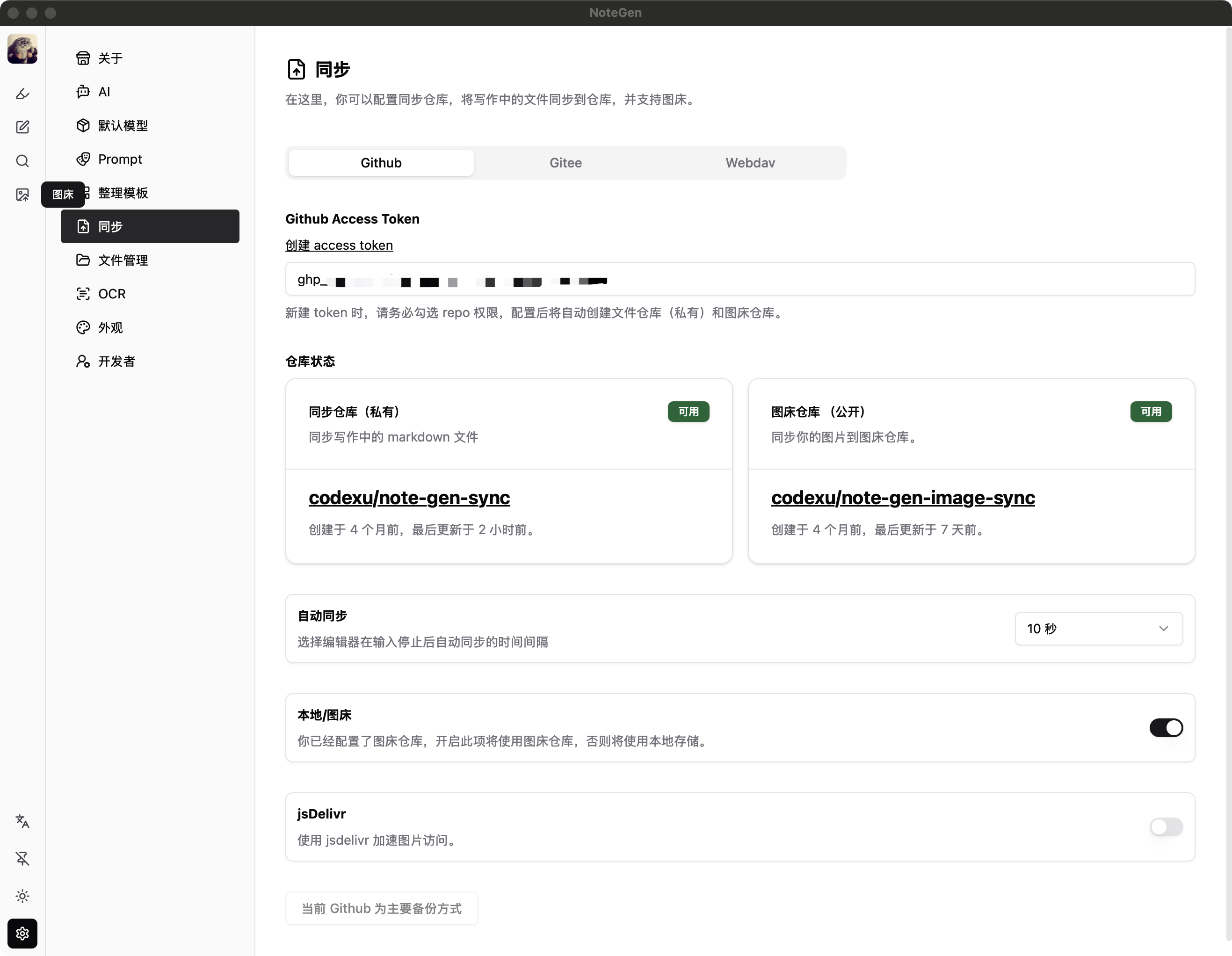
Primary Synchronization Method
Currently, the primary synchronization methods support GitHub and Gitee, as the history rollback feature requires Git support (no need to install Git locally).
Configuration
- GitHub Access Token: You need to obtain a token from GitHub or Gitee. Note that repository access permission is required.
- Auto Sync: When enabled, automatic quick backups will be performed * seconds after you stop typing while writing. The commit content follows a fixed template and can be collapsed.
- Local/Image Hosting: Use local storage as an image host or use a GitHub repository as an image host. Gitee does not support image hosting functionality.
- jsDelivr Acceleration: When enabled, after uploading an image, the jsDelivr link will be automatically used.
TIP
- Note that you must select GitHub or Gitee as your primary backup method for this to take effect. The button is located at the bottom of the page.
- All Markdown files will be stored in a private repository.
- GitHub will additionally create a public repository for image hosting (private repositories won't allow normal access to images).
Backup Method
The backup method currently supports WebDAV, with the purpose of backing up Markdown files to ensure data is more secure.
Configuration
- WebDAV server address, e.g.: https://webdav.example.com
- Username: WebDAV username
- Password: WebDAV password
- Backup path: WebDAV backup path, e.g.: /libvi-app/backup
You need to manually back up or pull to local.